Makin' It Easy
Open PDFDocument date: 2003-06-23
Type: SIDtoday
Pages: 1
Genre: newsletter
Banner: DYNAMIC PAGE -- HIGHEST POSSIBLE CLASSIFICATION IS TOP SECRET // SI / TK // REL TO USA AUS CAN GBR NZL
Classification: UNCLASSIFIED
Dissemination: FOUO
How to make SIDtoday your home page in Netscape and Explorer.
My notes
DYNAMIC PAGE -- HIGHEST POSSIBLE CLASSIFICATION IS
TOP SECRET // SI / TK // REL TO USA AUS CAN GBR NZL
SIDtoday
(U) Makin' It Easy
FROM: LTC [REDACTED] USA and [REDACTED]
Military Integration Office, Plans Division (S131)
Run Date: 06/23/2003
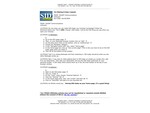
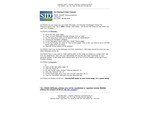
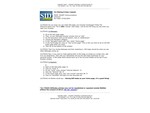
(U//FOUO) Do you know you can make SID today your browser homepage? Follow the directions below and "The In SID e Scoop" (SID today ) will be the first thing you see when you open your browser.
(U//FOUO) In Netscape :
- Go to the SID today page.
- Then, on your Netscape browser window click on "edit".
- On the drop down menu at the bottom, click on "preferences".
- Choose the Navigator category.
- In the "Navigator starts with" box, select "Home page"
- In the Home page box click on "Use current page" (This is why you have to be on the SID today page when you start.)
- Then OK at the bottom of the window.
(U//FOUO) Test it by closing Netscape and then restarting it. SIDtoday should be what you see when Netscape comes up.
(U//FOUO) Now, if you want to make getting back to SID today as simple as a single click, add it to you bookmarks. Then edit your bookmarks and put the SID today bookmark on your personal toolbar. A SID today block should show up in the 3rd level toolbar at the top of your browser window.
(U//FOUO) In Explorer :
- Start on the SID today page.
- Click on "Tools"
- On the "Tools" menu choose "Internet Options".
- Click the "General" tab.
- In the Home page area, click "use current" and then OK.
- Click on "Favorites" and add it to your favorites list.
(U//FOUO) As Martha would say... Having SID today as your home page, it's a good thing!
"(U//FOUO) SIDtoday articles may not be republished or reposted outside NSANet without the consent of S0121 (DL sid_comms)."
DYNAMIC PAGE -- HIGHEST POSSIBLE CLASSIFICATION IS
TOP SECRET // SI / TK // REL TO USA AUS CAN GBR NZL
DERIVED FROM: NSA/CSSM 1-52, DATED 08 JAN 2007 DECLASSIFY ON: 20320108
Related Documents
-
Making It Easy (repost) SIDtoday [pdf]
(Repost) How to make SIDtoday your home page in Netscape and Explorer.
The Intercept ↗ (2016-12-07) -
Making It Easy (repost) SIDtoday [pdf]
(Repost) How to make SIDtoday your home page in Netscape and Explorer.
The Intercept ↗ (2017-04-24) -
Making It Easy (repost) SIDtoday [pdf]
(Repost) How to make SIDtoday your home page in Netscape and Explorer.
The Intercept ↗ (2017-04-24) -
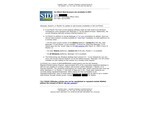
Which Web Browsers Are Available in SID? SIDtoday [pdf]
An overview of the web browsers available to Signals Intelligence Directorate workers, for both Solaris and Windows, as of February 2005. These include versions of Netscape, Mozilla, and Internet Explorer.
Programs: GROUNDBREAKERThe Intercept ↗ (2017-09-13) -
Adjusting the Font Size for Your Web Browser SIDtoday [pdf]
Instructions for changing the font size in Netscape and Internet Explorer.
Marking: UNCLASSIFIEDThe Intercept ↗ (2016-08-10)